


Video Studio
A programmatic production pipeline connecting scene manifests, branded motion, word-timed captions, beat maps, mastering and technical QA.
- Compose
- Caption
- Master
- Check
Revenue activation. Client relationships. Events. Partnerships. We build systems that give complicated work a clear path, a usable interface and someone accountable for the next move.
Explore the systems, the decisions they support and the work they connect.
Not every business problem needs new software. When it does, the useful build connects the information, decisions and people responsible for the outcome.
Explore four systems we have built, from revenue activation to client, event and partner operations.
One commercial motion. Not five disconnected queues.
Research in one tab. Drafts in another. Replies somewhere else. The work becomes fragile when the next action loses the account context.
Switchblade brings prospect context, reviewed messages, campaigns, responses and voice workflows into an operating surface. The human queue and the scheduled work remain distinct, so the operator can see what needs judgment and what is waiting to happen.
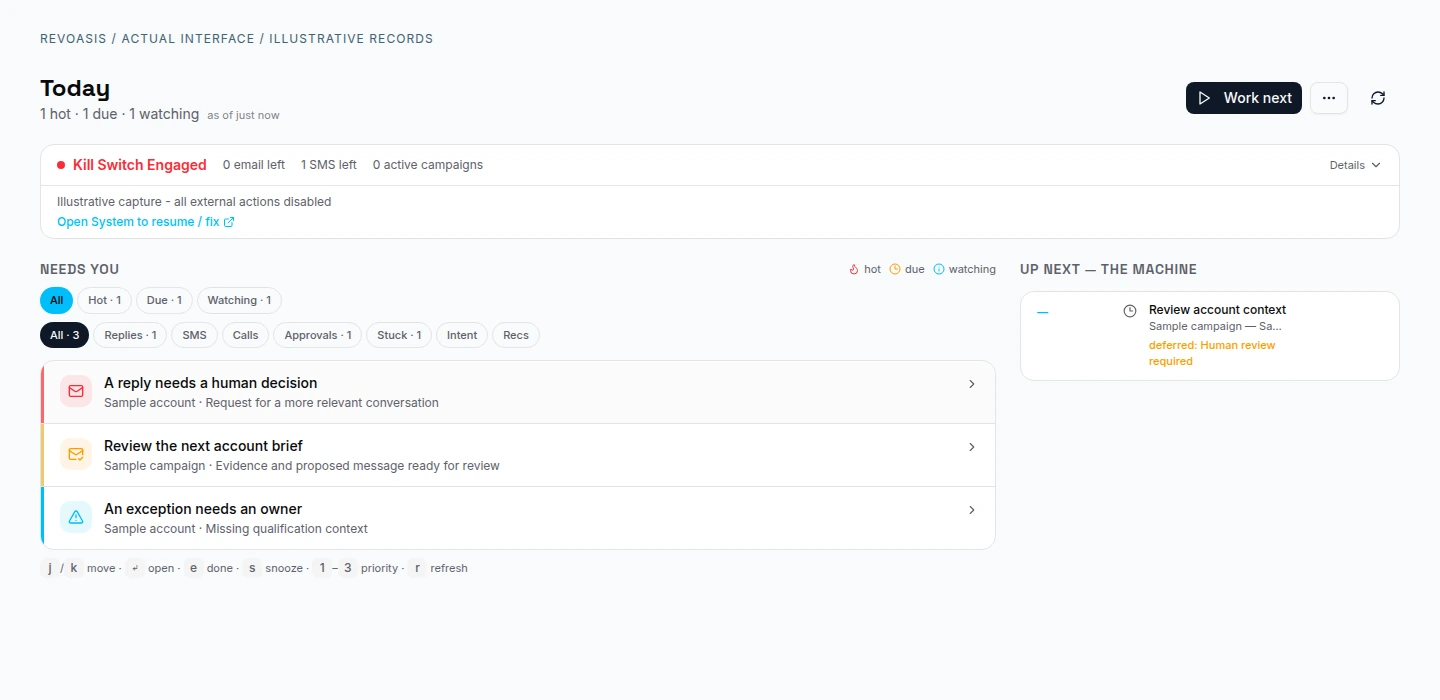
Sales and revenue operators
A queued action still needs to satisfy the conditions for execution. Review, suppression, campaign state and operational limits belong in the workflow, rather than in a footnote.
The account, contact and proposed work belong together. A useful brief distinguishes supported observations from the information still missing.
The signature is the beginning of the relationship.
A signed agreement can still lead to a scattered kickoff: access requests in email, unanswered questions in a document, billing somewhere else.
The client workspace connects agreements, launch responsibilities, access requests, support and billing. Clients can see what they own; operators can distinguish a submitted item from something accepted and ready to use.
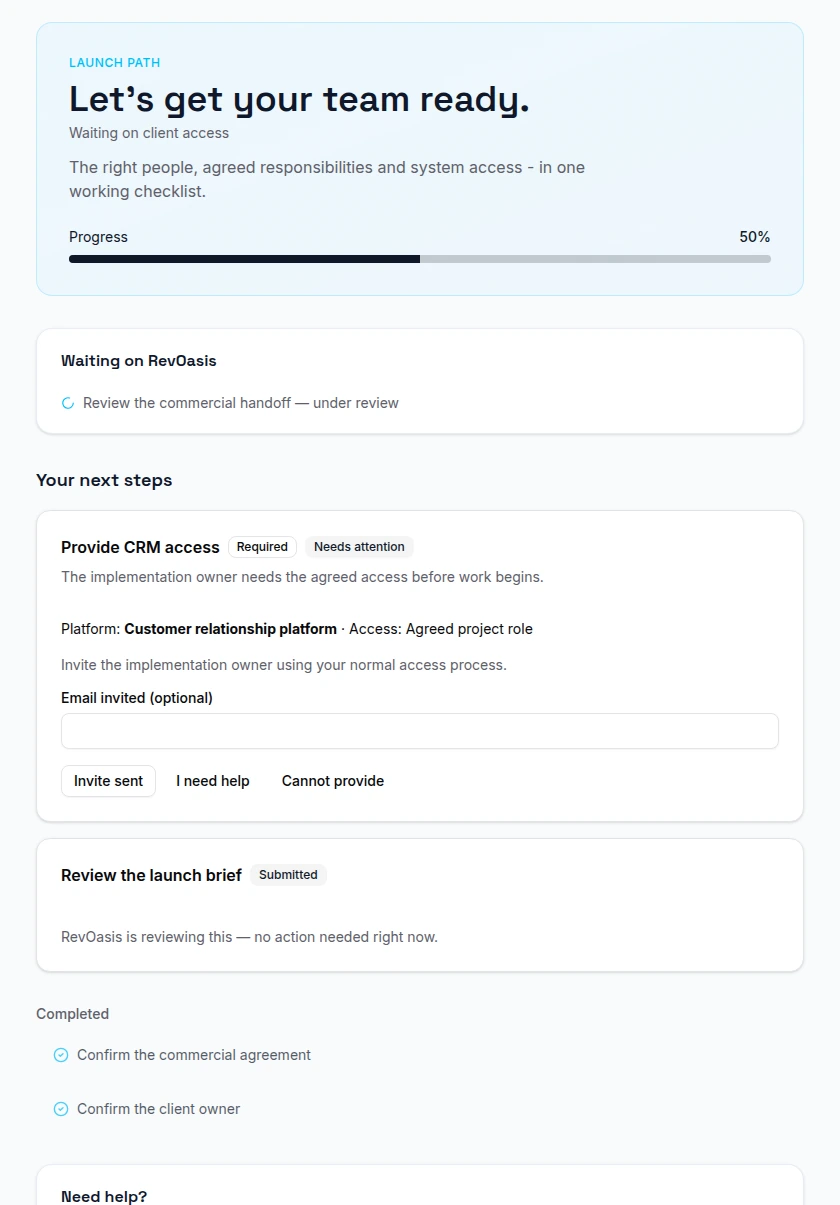
Client owners, delivery teams and finance
The client may have submitted what was requested while the delivery team still needs to review it. Those are different states, and both people need to know whose move it is.
Terms review, signing and execution status provide the context for the relationship. A draft or a partially signed document is not treated as a completed agreement.
One event. Many moving parts. A shared operating picture.
Participants, suppliers, schedules, rooms and communications influence one another. Separate lists make it difficult to see what is actually ready.
This event workspace brings participant context, meeting assignments, logistics, finance and communications into an event-centered workflow. Operators can move from a readiness issue to the relevant work without reconstructing the event from scattered screens.
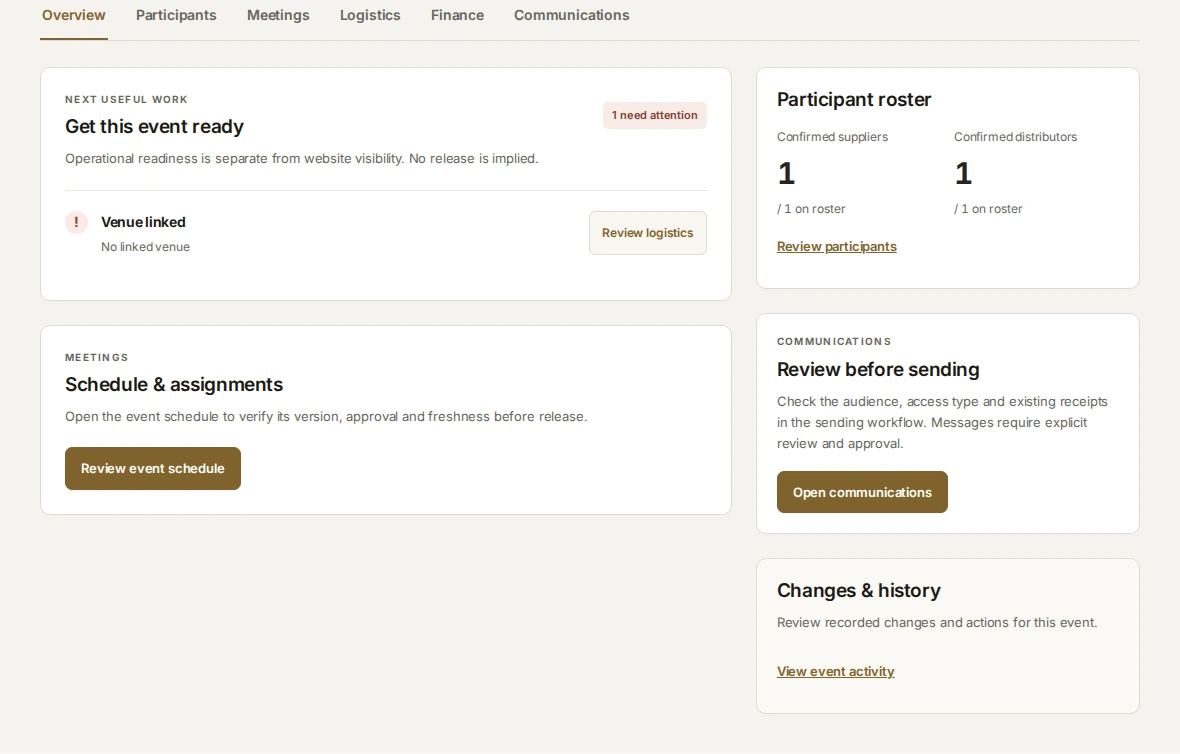
Event, participant and supplier teams
A public event page, a prepared schedule and permission to send a message are separate decisions. The workspace keeps those distinctions visible to the people running the event.
Profiles and participation belong to the event and its operating roles. The information becomes context for later meetings, logistics and communication.
A warm introduction deserves a clear next step.
Introductions lose momentum when partners cannot tell what happened and the internal team has no consistent way to record its decision.
The partner experience and internal operating workflow connect invitations, introductions, review, public updates and earnings records. Partners get an appropriate view of the relationship without receiving access to the client workspace or internal decision history.
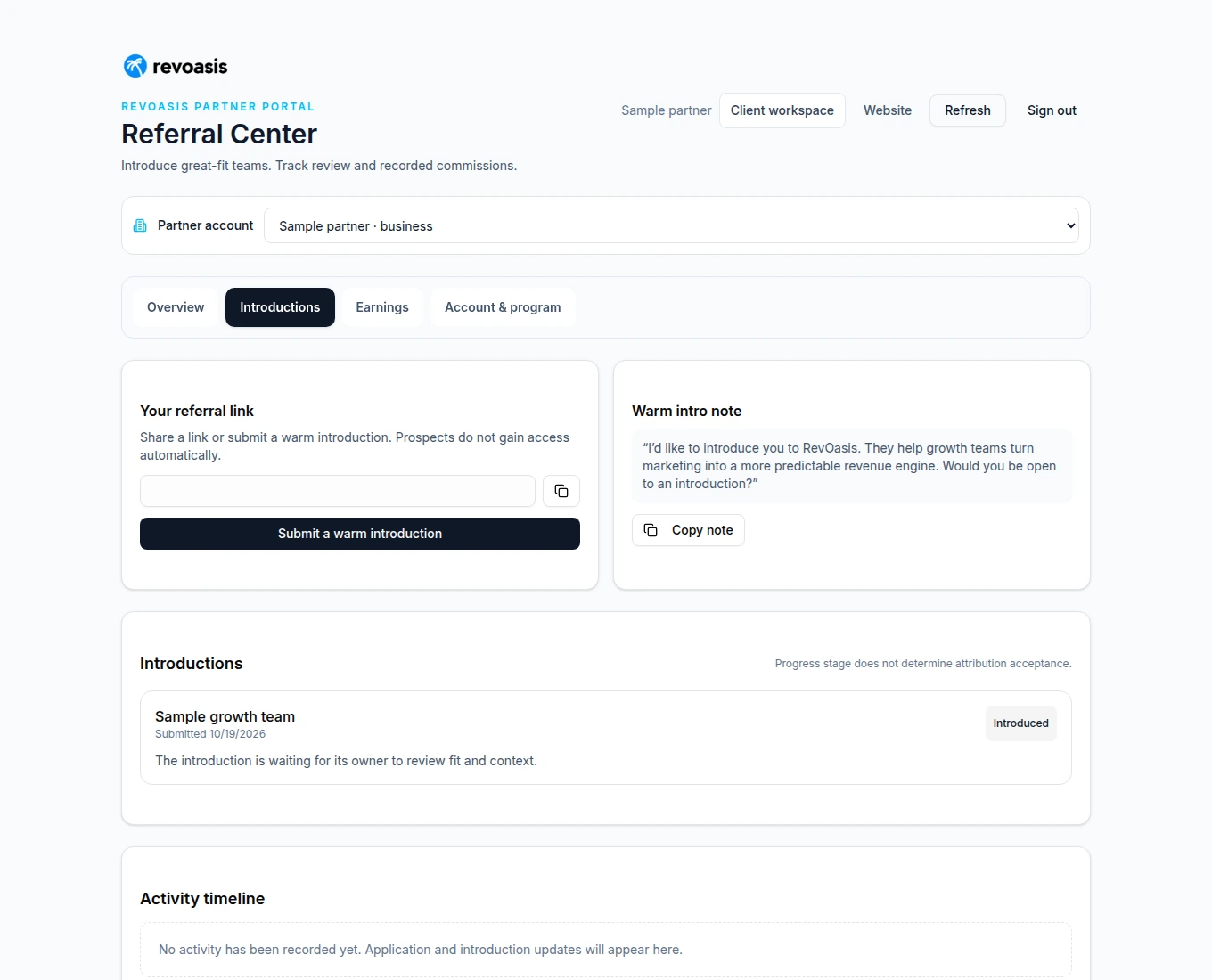
Partners and relationship owners
A relationship can advance without settling attribution or creating an earned commission. The platform separates the introduction, commercial terms, eligible collection and recorded payment history.
The partner supplies the relevant relationship and business context. A new introduction enters a review process; it does not automatically become an accepted opportunity.
Some builds create the output. Others give an operator control over the system producing it.
A programmatic production pipeline connecting scene manifests, branded motion, word-timed captions, beat maps, mastering and technical QA.
An operator workspace for assistant prompts, voices, models and version history, with deliberate import and publish actions rather than invisible configuration drift.
A conversation workspace that brings public-source context, a working brief and a path to a human into one experience.
These public tools are ready to explore without accessing an operating account.
Our client engagements connect the build with demand, conversion and the operating responsibilities around them.
Bring the process, the friction and the ambition. Travis will help identify the useful next piece - and whether it needs to be built at all.